Step-by-Step: How to Checkout with NOWPayments
Step 1: Select Your Currency
-
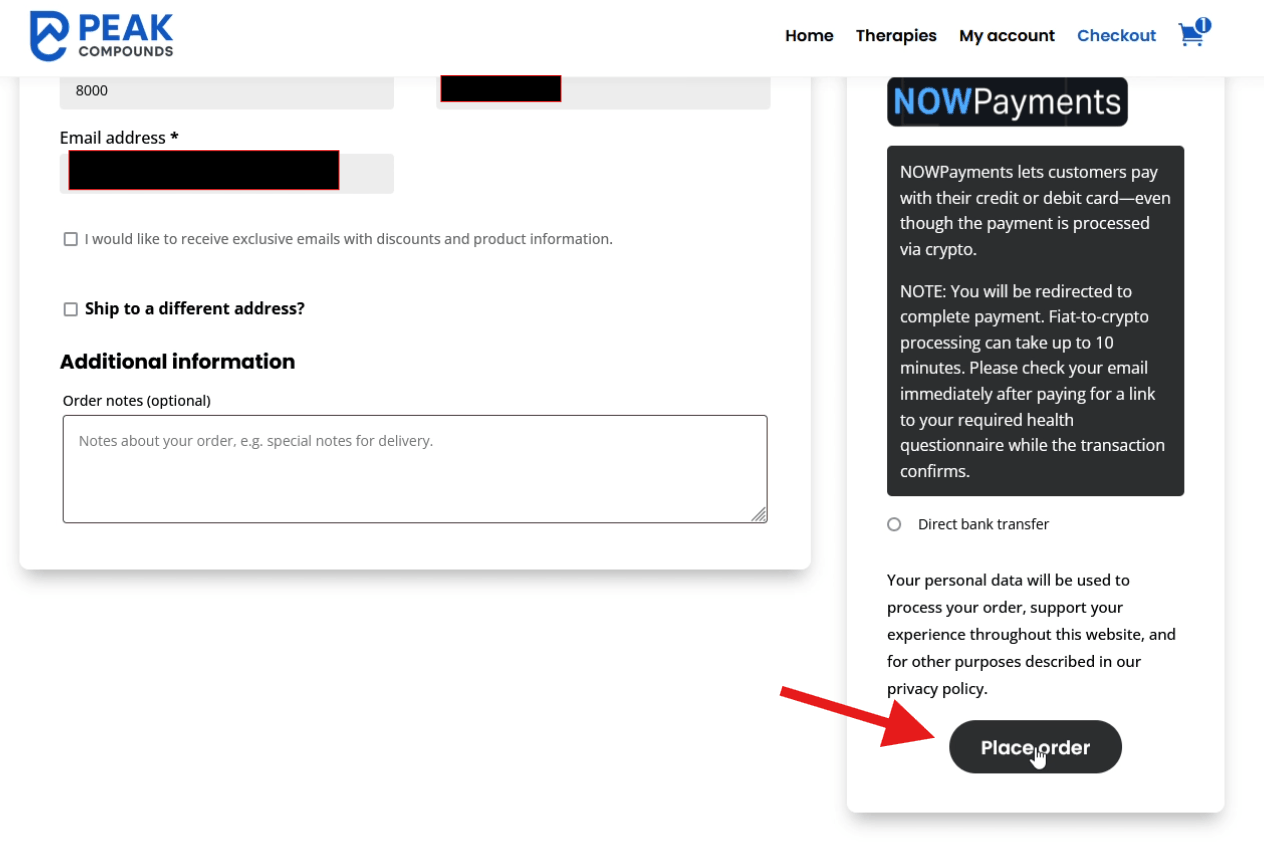
With your information filled in and the NOWPayments option selected, click the ‘Place order’ button.
-
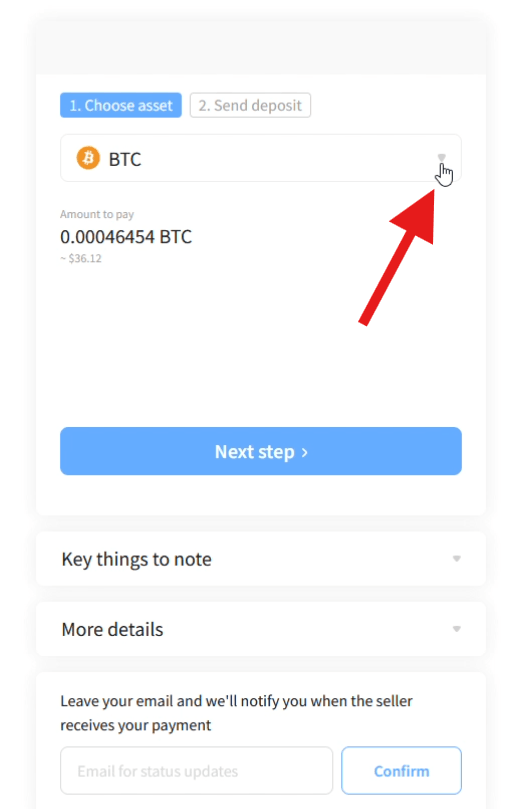
On the resulting page, you will see the cost of your purchase denominated in Bitcoin.
-
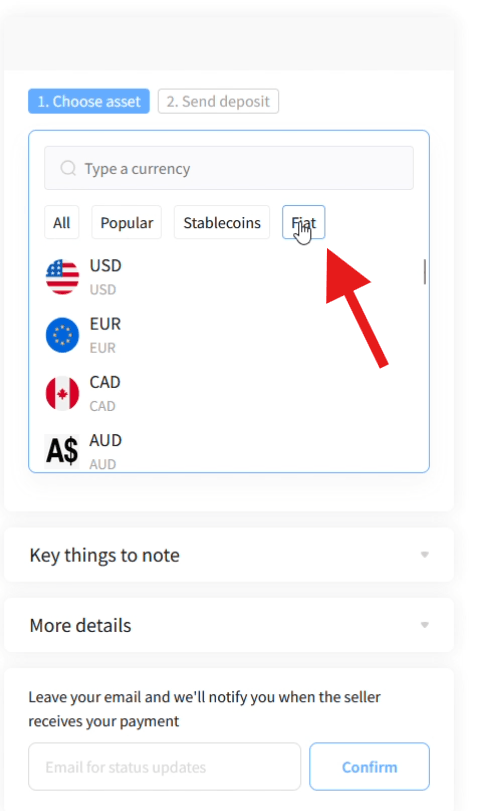
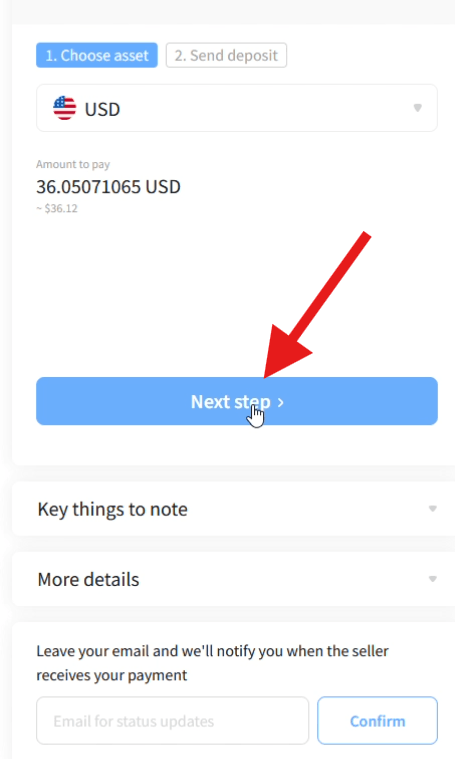
To pay with your credit card, click the dropdown menu to the right of ‘BTC’, select ‘Fiat’, and then choose your preferred local currency. Click ‘Next step’.
Step 2: The Secure Banxa Gateway
-
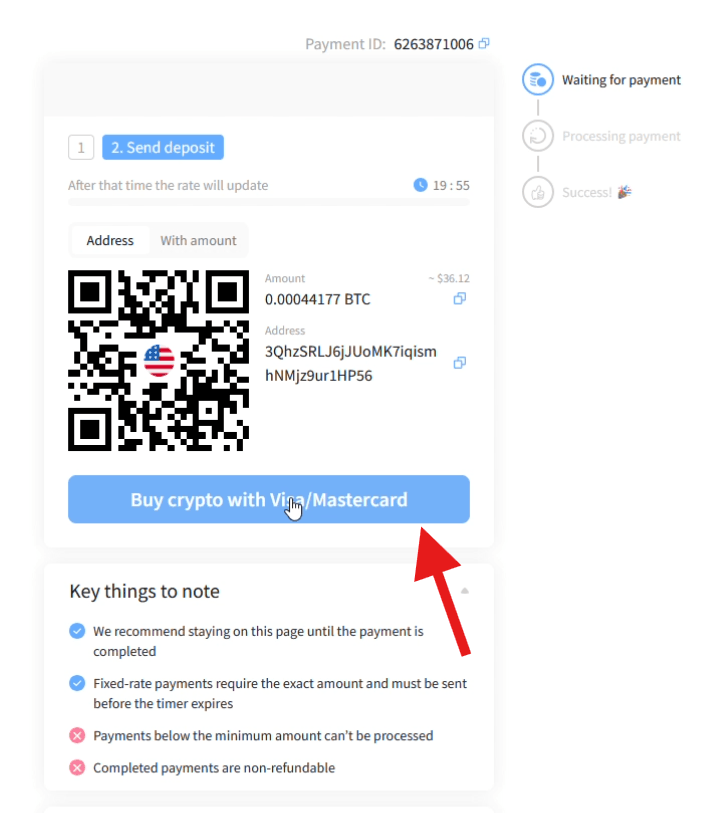
Click the ‘Buy crypto with Visa/Mastercard’ button.
-
A new secure tab will open, taking you to our fiat-to-crypto bridge partner, Banxa.com.
(Note: Banxa requires a simple, one-time KYC identity check for your first purchase. After your first use, you can log right in and complete future purchases with just a few clicks). -
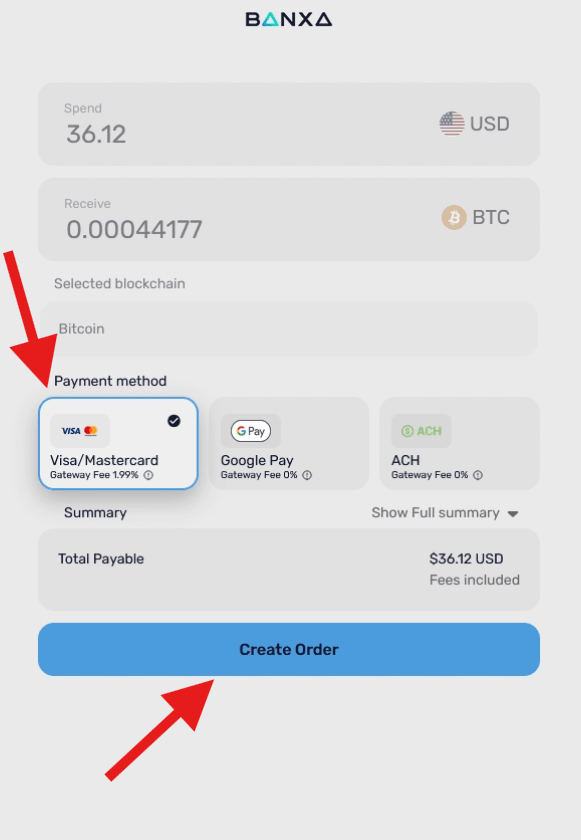
Select your payment method and click ‘Create Order’.
Step 3: Complete the Transaction
-
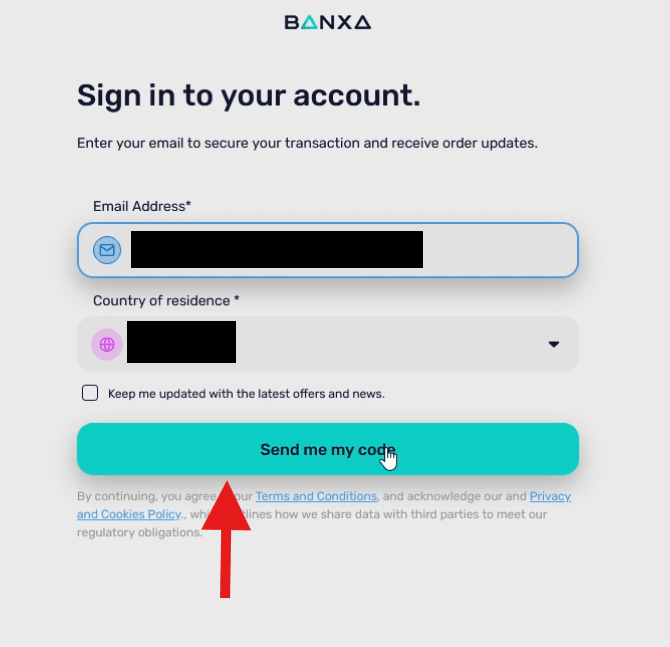
Sign in to Banxa by entering your email address and clicking ‘Send me my code‘.
-
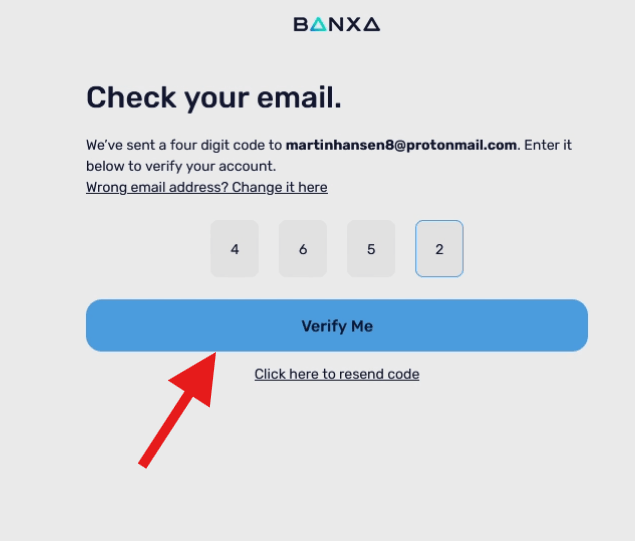
Check your email, enter the verification code, and click ‘Verify me‘.
-
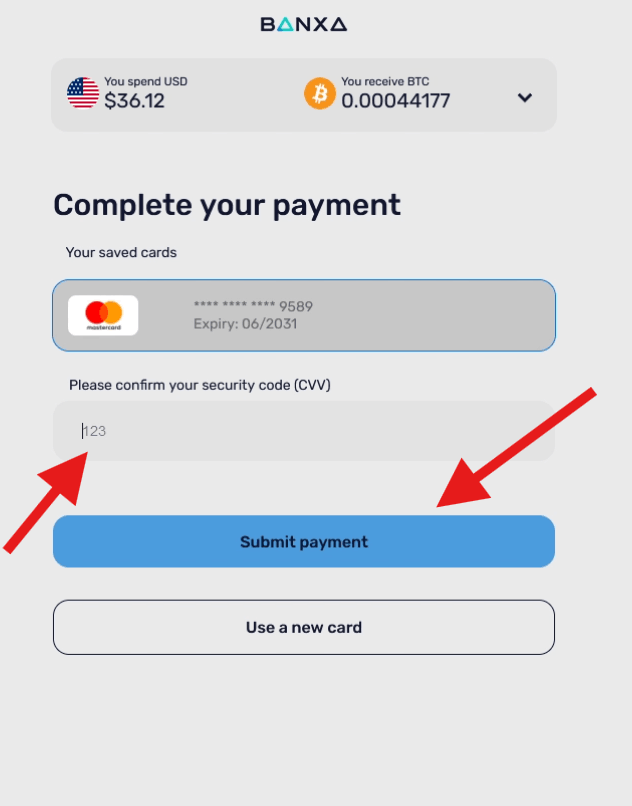
Enter the security code from the back of your credit/debit card, and click ‘Submit payment’.
-
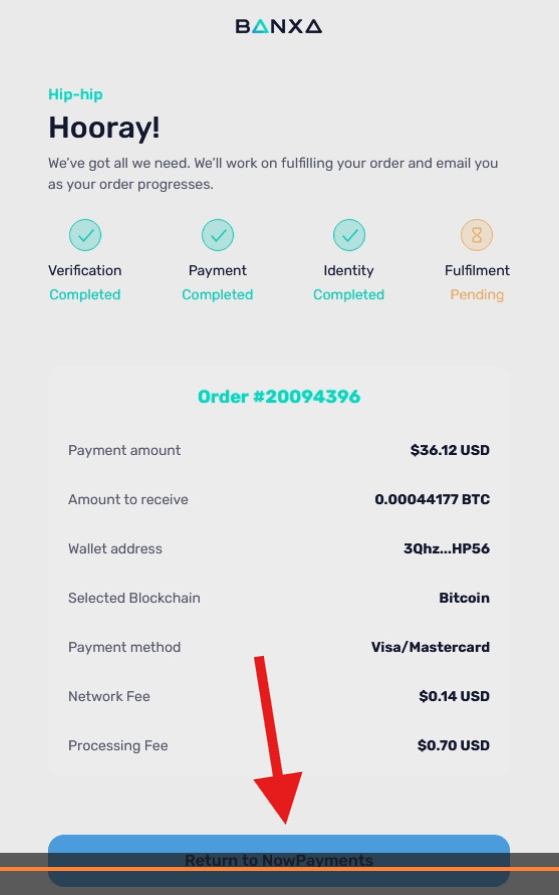
Once Banxa confirms your information is submitted, click ‘Return to NowPayments’. You will be taken back to complete the process with a single click.
-
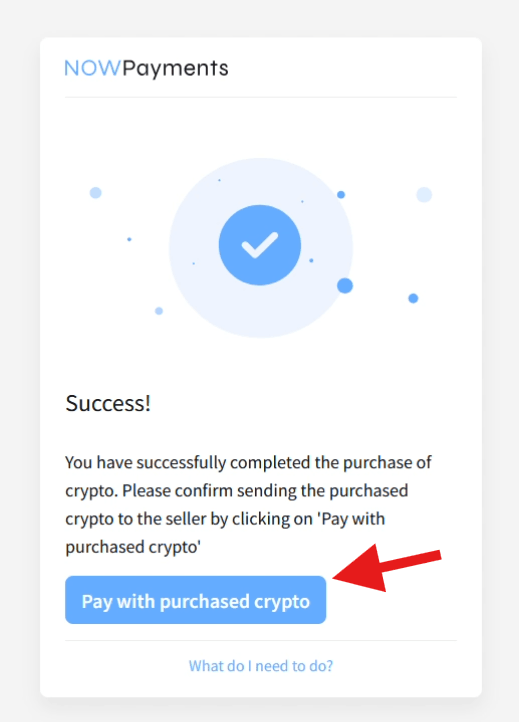
Click the final button: ‘Pay with purchased crypto’.
Step 4: The Blockchain Confirmation & Your Health Questionnaire
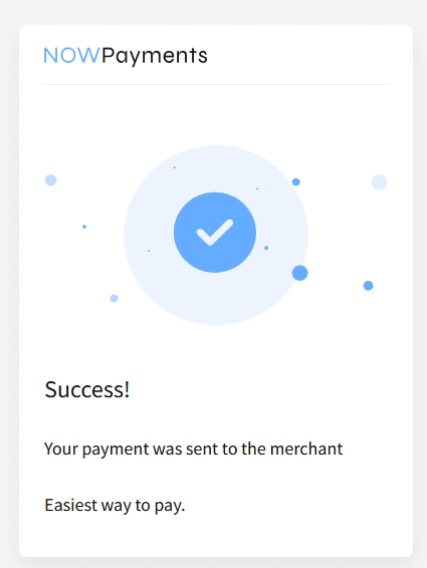
You will see a message confirming your payment was sent to Peak Compounds. The system is now clearing your transaction securely on the blockchain.
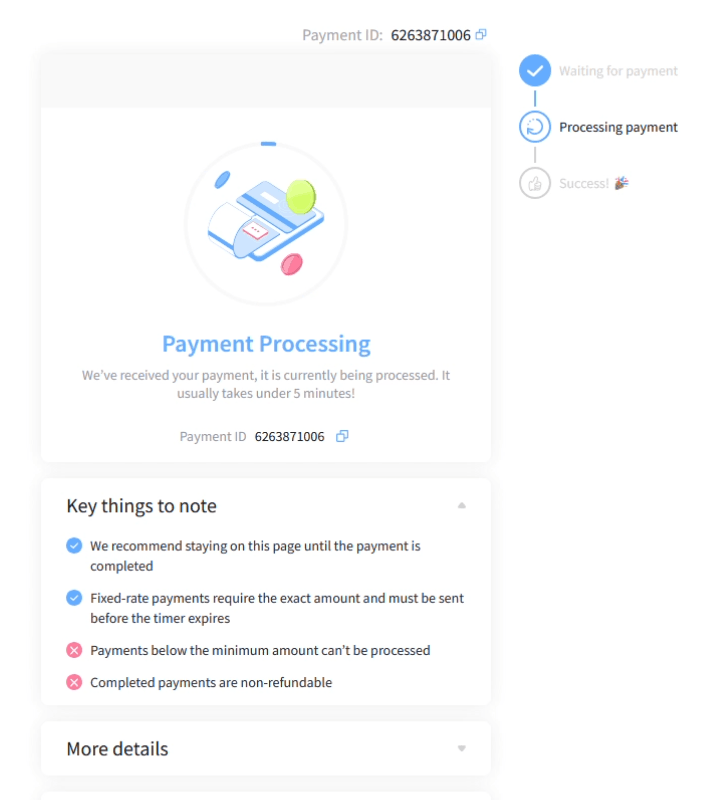
Important: It’s recommended that you keep the tab open and be patient for 1-2 minutes while the transaction clear. It’s automatic and happens in the background.
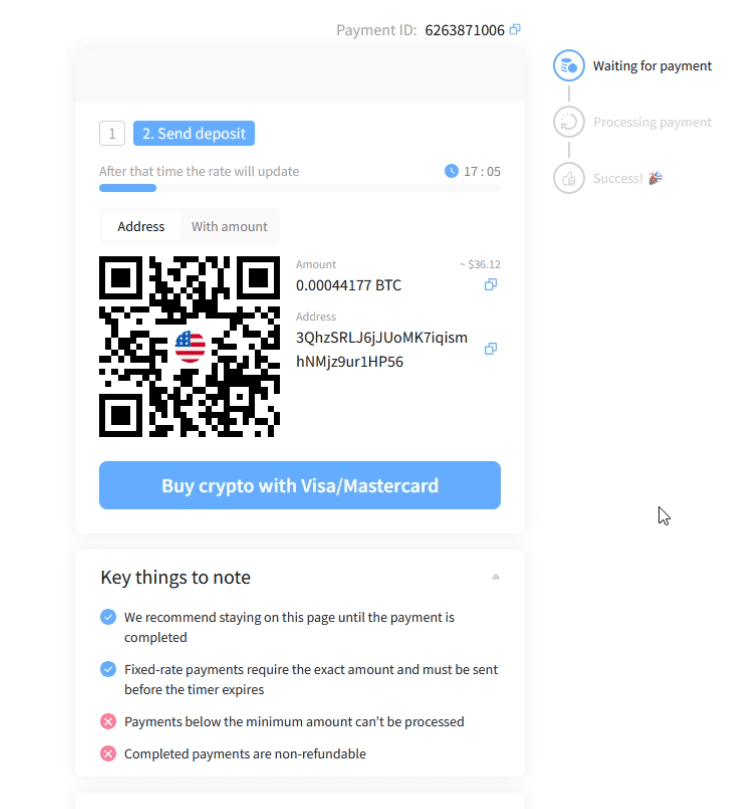
In case the payment is taking more than a couple of minutes to clear (this rarely happens), you can check your email and follow the link to your mandatory health questionnaire inside the order confirmation email we sent you. We cannot process your order or forward your prescription to the pharmacy until this questionnaire is submitted and evaluated by our physician. You can use the waiting time to complete your intake form.
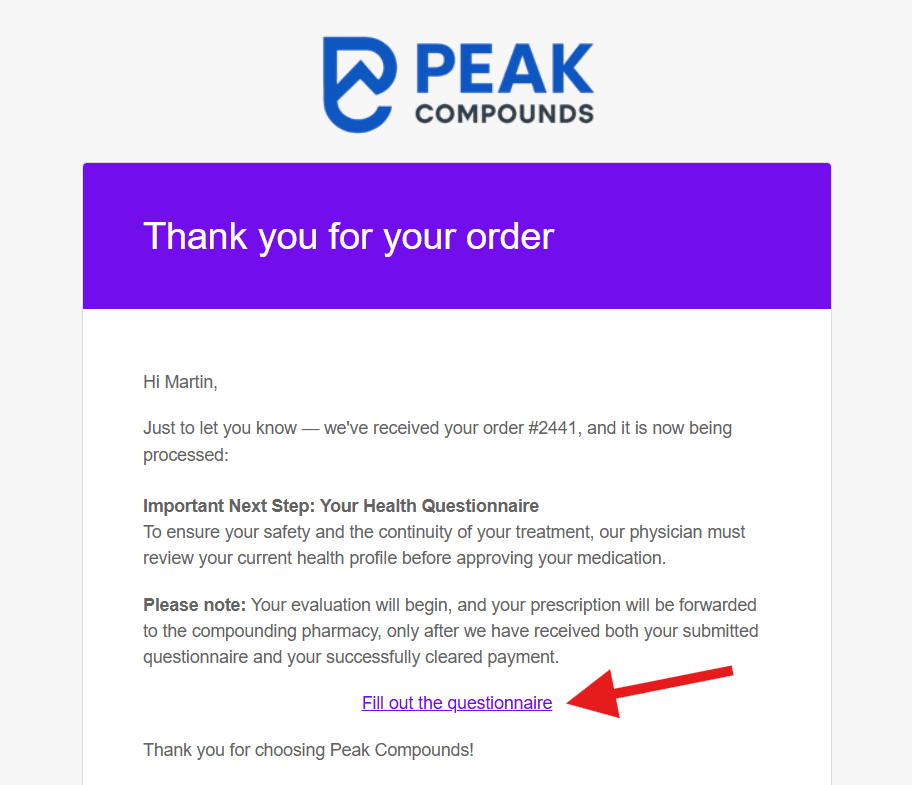
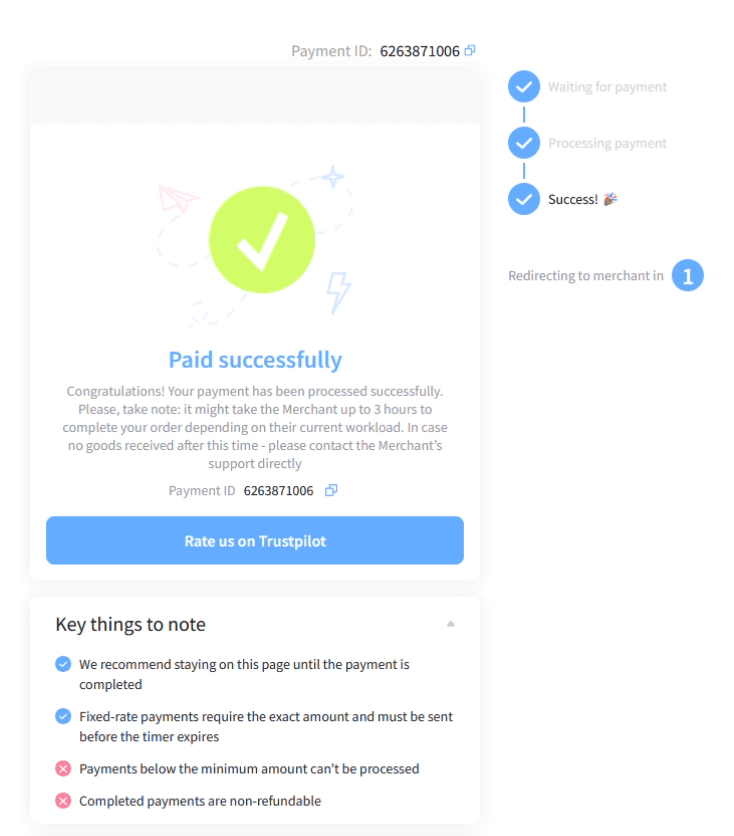
Below are the remaining steps in the payment process. As mentioned, these steps happen automatically.
Step 5: The Final Thank You Page
Once the blockchain successfully clears your transaction, the NOWPayments system will automatically redirect you to the final Peak Compounds “Thank You” page (if you left the checkout tab open). You can safely close the other NOWPayments tab at this point.
To ensure the highest level of security, our team manually verifies all blockchain transfers. Once we confirm the funds have securely cleared into our account, we will authorize your order and send your final, official Order Receipt via email.
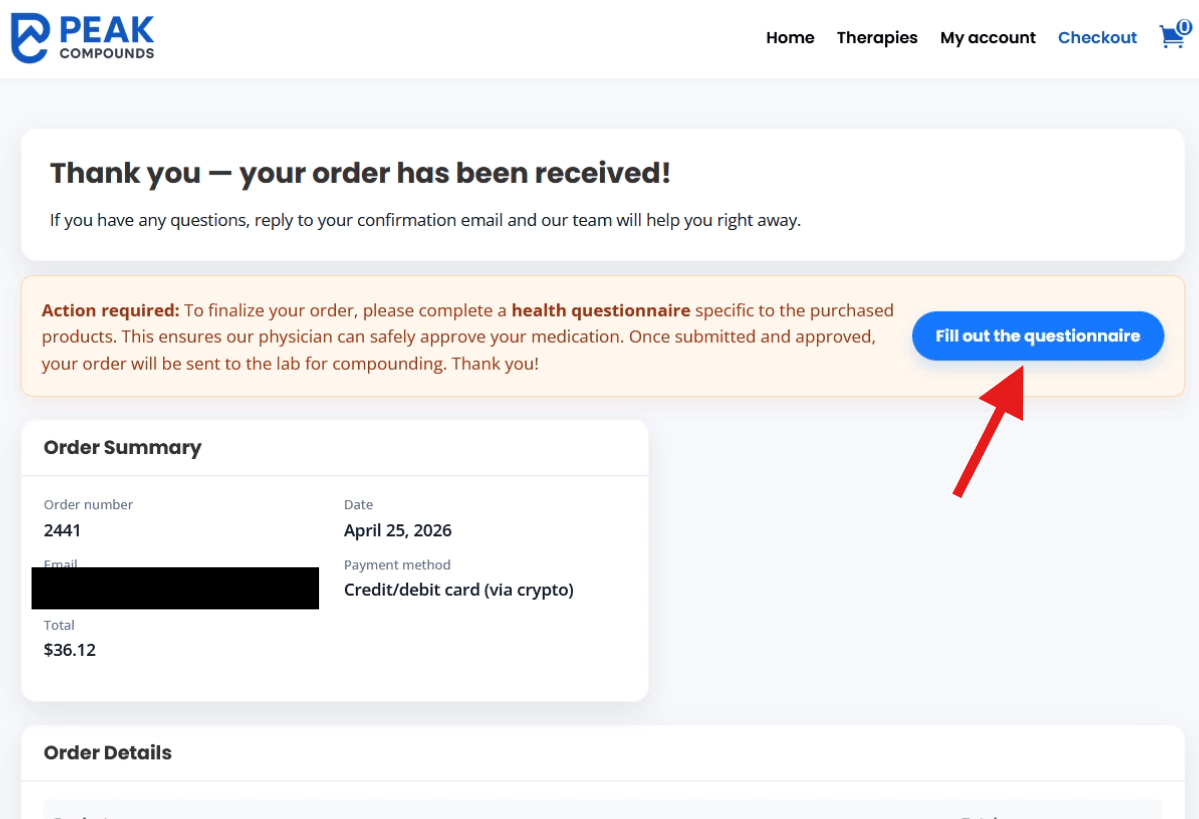
(Reminder: If you did not complete the health questionnaire via the email link in Step 4, you will find another direct link to it waiting for you on the final Thank You page).